Instantly Free Up Disk Space
Clean junk & duplicates, manage storage and update drivers.

Clean junk & duplicates, manage storage and update drivers.
Clean & protect your PC, no complicated settings required.
Detect ransomware, manually restore your vital files.
Auto clean & scan viruses to speed up your laggy PC.

Anti-track, firewall & secure deletion for safer browsing.

Fix sudden internet loss for critical moments.

An optional upgrade for your everyday PC care.

Block online trackers to keep your browsing private.

Clear invalid registry entries to keep Windows snappy.

Visualize storage usage and spot large space-hogging files.

Stop web trackers and protect your online footprint.

Retrieve accidentally deleted files from your disk.

Auto-run junk cleanup on your preferred schedule.

Recover files locked by ransomware attacks.

Lock and safeguard your important private files.

Run risky programs safely inside a protected environment.

Tune your PC for smoother, lag-free gaming sessions.

Find and remove duplicate files to reclaim storage.

Wipe browsing history and local privacy traces easily.

Permanently erase sensitive files with no recovery trace.

Update drivers, with backup and one-click restore.

Get critical patches and upgrades ahead of regular users.
Block online trackers to keep your browsing private.
Clear invalid registry entries to keep Windows snappy.
Visualize storage usage and spot large space-hogging files.
Stop web trackers and protect your online footprint.
Retrieve accidentally deleted files from your disk.
Auto-run junk cleanup on your preferred schedule.
Recover files locked by ransomware attacks.
Lock and safeguard your important private files.
Run risky programs safely inside a protected environment.
Tune your PC for smoother, lag-free gaming sessions.
Find and remove duplicate files to reclaim storage.
Wipe browsing history and local privacy traces easily.
Permanently erase sensitive files with no recovery trace.
Update drivers, with backup and one-click restore.
Get critical patches and upgrades ahead of regular users.

Detect and fix connection issues in just a few clicks.

Custom security & maintenance tools for business teams.

Dedicated app built for Windows 10 universal platform.

Guard your PC against unauthorized network access.

Quickly compress and extract files of all common formats.

Organize desktop files and streamline your workspace.

Free up valuable space on your Windows system drive.

Set up useful software with simple one-click deployment.

Block risky sites and extensions while you browse.

Safely extend C drive capacity without data loss.

Repair corrupted Windows and resolve critical system faults.

Patch Windows flaws to block potential security risks.

Browse freely and secure your internet connection.

Protect your office files from tampering and loss.

Fast, secure browser built for private daily web access.
Detect and fix connection issues in just a few clicks.
Custom security & maintenance tools for business teams.
Dedicated app built for Windows 10 universal platform.
Guard your PC against unauthorized network access.
Quickly compress and extract files of all common formats.
Organize desktop files and streamline your workspace.
Free up valuable space on your Windows system drive.
Set up useful software with simple one-click deployment.
Block risky sites and extensions while you browse.
Safely extend C drive capacity without data loss.
Repair corrupted Windows and resolve critical system faults.
Patch Windows flaws to block potential security risks.
Browse freely and secure your internet connection.
Protect your office files from tampering and loss.
Fast, secure browser built for private daily web access.

Find and recover deleted files from your Windows PC and removable drives with a clear, guided workflow.
Explore RecoverlyX

Compress and extract files quickly with a simple desktop utility for everyday archives.


Manage disk space with a focused utility designed for everyday Windows storage needs.
Explore Exdisk


Free malware scanning with no subscription required. Friendly interface and reliable protection. It is reassuring to run a quick scan whenever I install a new app, without creating another account or paying a subscription.

A complete, efficient and easy-to-use antivirus that protects browsing and downloads. I also appreciate how quietly it runs in the background while cleanup tools help keep older PCs responsive.


Lightweight, dependable protection with cleanup, USB scanning and a fast interface.

A complete antivirus with strong Windows integration, simple installation and useful cleanup.

Accurate, powerful protection that blocks threats and removes spyware and ransomware.

Amazing value: generous free protection that does far more than many paid antivirus products.

A helpful service and a good deal that made it easy to find the right solution.

Over ten years and more than 1,000 client PCs later, the free version remains reliable ❤️.

Successfully stopped a virus affecting program startup and creating unwanted shortcuts.

After more than five years, Total Security remains important, helpful and effective.

Five years of dependable protection against viruses, trojans, spam and intrusions.

Finds problems quickly and deserves a five-star rating ☺️☺️. A useful product that keeps improving.
Find quick answers about Total Security.
360 Total Security is an all-in-one security and system optimization app for Windows users, combining virus scanning, ransomware protection, PC cleanup, privacy protection, and network troubleshooting in one client.
The free version includes antivirus and anti-ransomware protection plus secure online shopping. Premium adds Driver Updater, Firewall Protection, Privacy Cleaner, Data Shredder, an ad-free experience, and Priority Support.
The current version supports Windows 10 and later, 64-bit. It does not support x86, Windows 8.1, 8, 7, Vista, XP, or Windows Server.
The standard free version can be used without an account. Some membership services may require sign-in.
Download and installation guidance for Windows PCs.
Download the current Windows version from the official download page: https://www.360totalsecurity.com/en/download-free-antivirus/.
Run the downloaded installer, follow the on-screen steps, then open Total Security and complete a first check.
Use the latest installer, check your internet connection and close other security installers before trying again.
Use Windows Settings to remove 360 Total Security from the installed apps list.
Simple explanations of the product and its features.
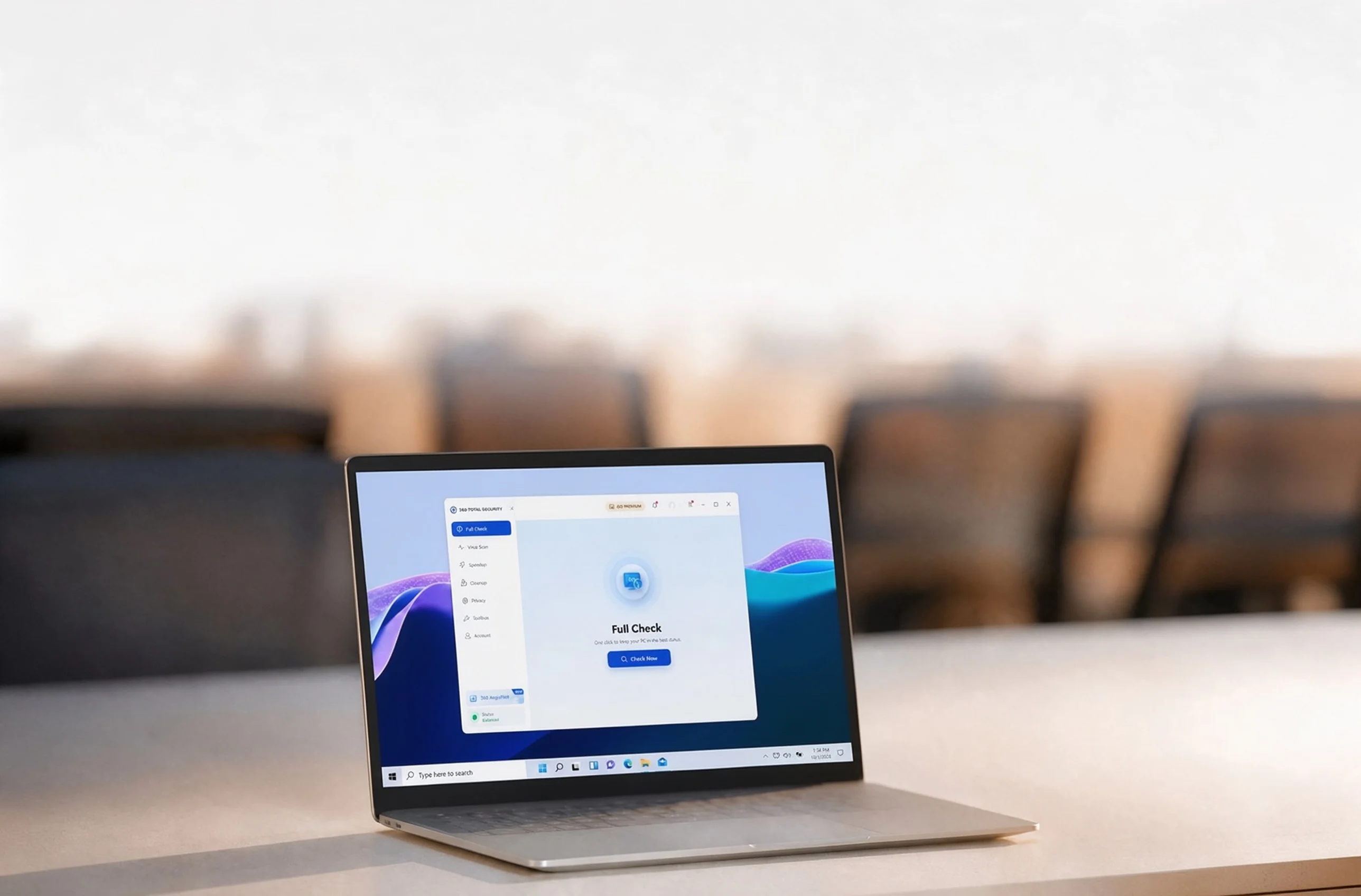
Full Check gives an overview of security, performance and cleanup items in one place.
Virus Scan checks selected areas of your PC for potential threats and lets you review the results.
Cleanup identifies temporary files and other removable items, which you can review before deletion.
Startup Manager shows programs and services that launch with Windows, helping you decide what stays enabled.
More practical answers for everyday PC care.
Open Total Security and use its update option to keep protection data current.
To submit a suspicious file, contact support at https://www.360totalsecurity.com/en/support/how-to/ and include the file details.
Visit the support page at https://www.360totalsecurity.com/en/support/how-to/ for help.
Open Total Security settings to review notification and protection controls available in your version.