
The Nvir Mac virus represents a growing threat to macOS users, exploiting both technical vulnerabilities and human psychology to compromise system integrity. As Mac market share expands in business and creative sectors, cybercriminals increasingly target these platforms with sophisticated malware like Nvir. This comprehensive guide examines how Nvir operates, how to identify infection symptoms, effective removal strategies, and proven prevention methods to safeguard your Mac against evolving threats.
How the Nvir Mac Virus Operates and Spreads
The Nvir Mac virus infiltrates systems primarily through social engineering tactics and exploited vulnerabilities, delivering payloads that compromise data integrity and system performance. Understanding these infection vectors is essential for building effective defenses against this persistent threat.
Primary Infection Channels and Tactics
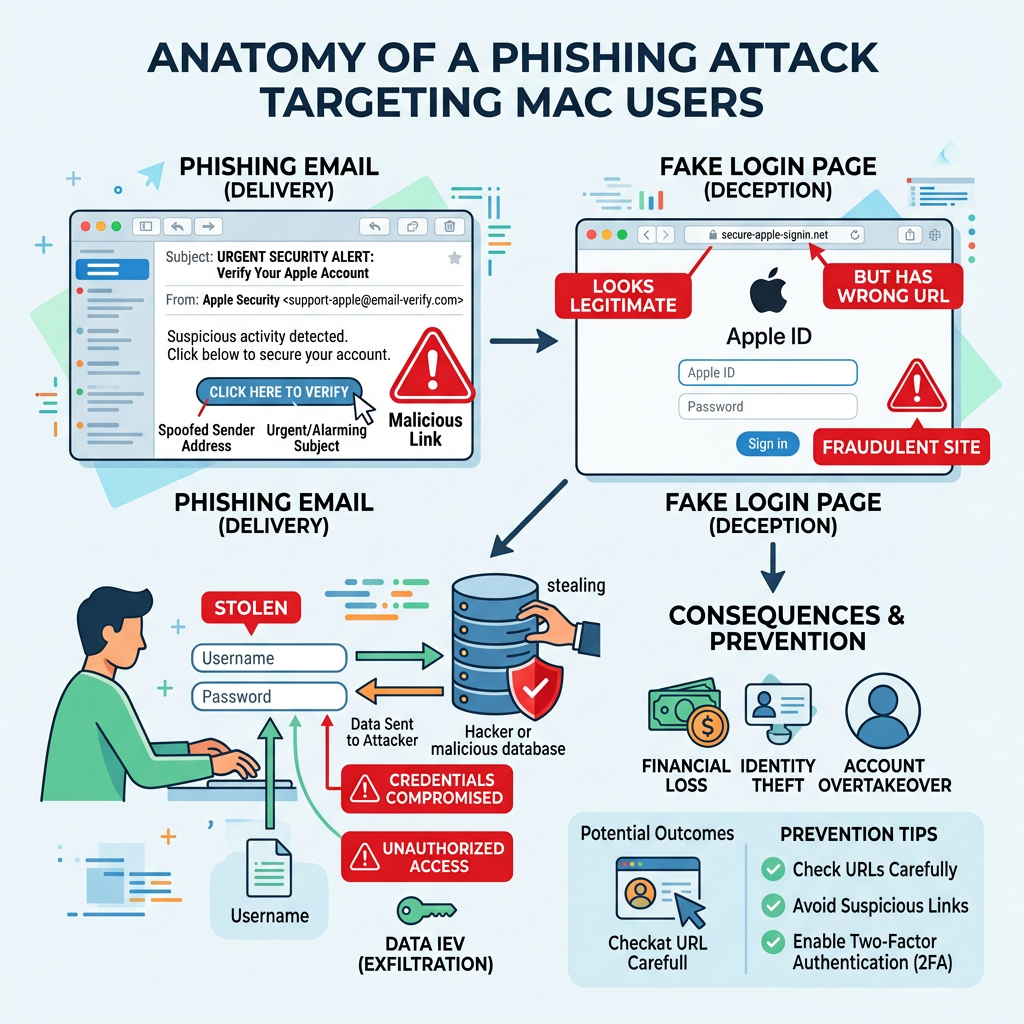
Nvir employs multiple delivery mechanisms to breach Mac security defenses. The most prevalent method involves malicious email attachments and links disguised as legitimate communications. According to 2025 cybersecurity advisories, attackers craft urgent messages that exploit psychological triggers—such as fake security alerts, shipping notifications, or financial warnings—to prompt immediate action without critical evaluation. These emails often contain ZIP archives or DMG files that, when opened, execute the malware payload.
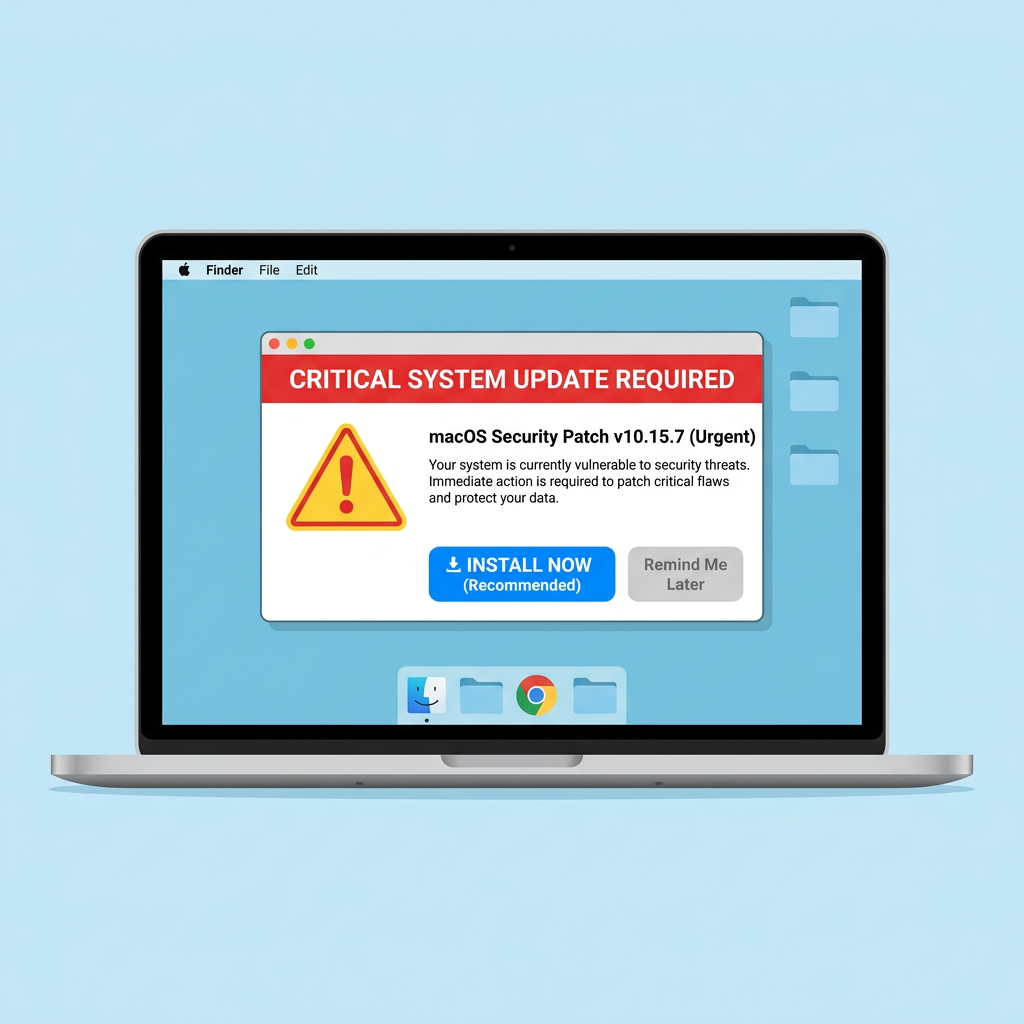
Another significant infection vector involves download bundles from compromised or fake websites offering pirated software, cracked applications, or fake system updates. Users seeking free alternatives to paid software frequently encounter these malicious sites, which bundle Nvir with seemingly legitimate installers. The virus may also spread through torrent files and peer-to-peer networks where file authenticity cannot be verified.
Payload Execution and Initial System Impact
Once executed, Nvir demonstrates sophisticated evasion techniques. The malware typically installs backdoors or data-stealing modules that operate silently in the background, avoiding detection by casual system monitoring. Analysis of network traffic anomalies associated with similar Mac viruses reveals that Nvir establishes persistent connections to command-and-control servers, enabling remote attackers to exfiltrate sensitive data, deploy additional malicious components, or issue commands to compromised systems.
While less common in Mac-targeted malware, some Nvir variants incorporate ransomware components that encrypt user files or display ransom notes demanding cryptocurrency payments. The malware may also modify system configurations, disable security features, or create launch agents that ensure persistence across system reboots. Initial system impact often includes degraded performance as the virus consumes CPU and memory resources for cryptomining or distributed denial-of-service activities.
Why Macs Are Increasingly Vulnerable to Threats Like Nvir
The growing market share of Macs in business and creative sectors has fundamentally altered the threat landscape. According to 2026 industry reports, Mac adoption in enterprise environments increased by 23% over the previous two years, making these systems lucrative targets for cybercriminals seeking access to corporate networks, intellectual property, and financial data. Professional users often store valuable creative assets, client information, and proprietary business data on their Macs, increasing the potential payoff for successful attacks.
Compounding this risk is user overconfidence in macOS's inherent security. Many Mac users operate under the misconception that Apple systems are immune to malware, leading to neglected basic protections such as regular software updates, cautious download practices, and security software installation. This false sense of security creates opportunities for threats like Nvir to exploit unpatched vulnerabilities and social engineering weaknesses that would be caught by more vigilant users on other platforms.
Identifying Nvir Mac Virus Symptoms on Your System
Recognizing the often subtle indicators of Nvir infection is critical for timely intervention, as symptoms can range from performance drops to unauthorized system changes. Early detection significantly improves removal success rates and minimizes potential data loss or system damage.
Performance and Resource Anomalies
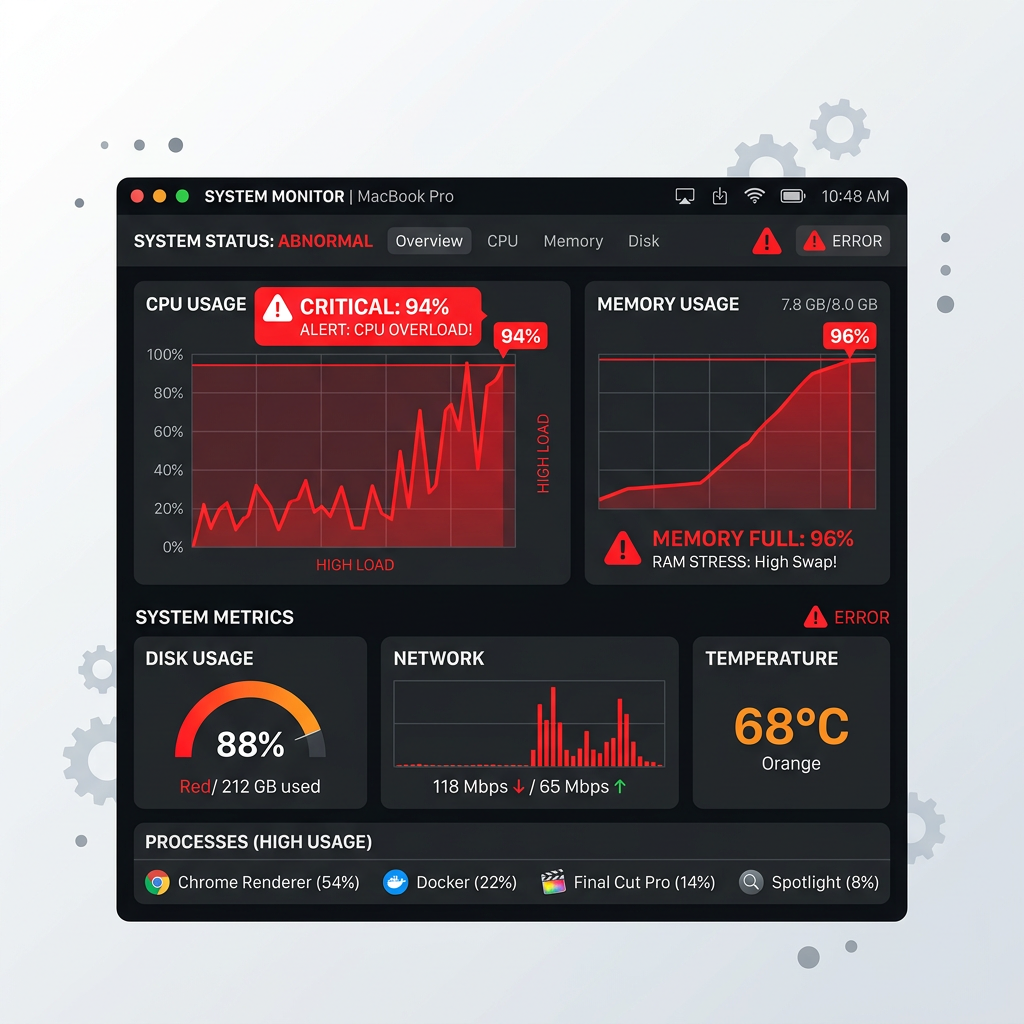
One of the most noticeable signs of Nvir infection involves unusual slowdowns during routine tasks. Users may experience delayed application launches, sluggish file access, or system freezes that were not present before infection. These performance issues stem from background malware activity consuming system resources for malicious purposes such as cryptocurrency mining, data processing, or network communication with command servers. Opening Activity Monitor typically reveals unfamiliar processes consuming disproportionate CPU or memory resources.
Unexpected battery drain or system overheating during idle periods provides another critical indicator. If your MacBook's battery depletes rapidly when performing minimal tasks, or if the system fans run constantly despite low legitimate workload, these symptoms suggest background malware operations. According to user reports from Mac security forums like Malwarebytes, infected systems often exhibit thermal management issues as the virus continuously executes resource-intensive operations.
Unauthorized System and Application Changes
Nvir frequently manifests through new, unfamiliar applications or processes appearing in Activity Monitor without user installation. These may have cryptic names or masquerade as legitimate system processes with slight spelling variations. Users should investigate any unrecognized items, particularly those lacking proper code signatures or developer identification. The malware may also create hidden files in system directories or modify existing application bundles to maintain persistence.
Browser settings hijacking represents another common symptom, with default search engines changed to suspicious providers, new toolbars or extensions added without permission, or homepage redirections to advertising or phishing sites. Safari, Chrome, and Firefox users should regularly audit their browser extensions and settings for unauthorized modifications. Nvir may also inject advertising scripts or tracking cookies that compromise privacy and degrade browsing performance.
Network and Data Security Red Flags
Security-conscious users monitoring their network activity may detect strange network connections or data uploads through firewall logs or network monitoring tools. Nvir typically establishes outbound connections to remote servers for command-and-control communication or data exfiltration. Tools like Little Snitch or Lulu can reveal these suspicious connections, which often target IP addresses in jurisdictions known for hosting malicious infrastructure.
In severe cases, users may discover files becoming inaccessible or encrypted, suggesting potential ransomware behavior. While less common for Nvir specifically, some variants incorporate file encryption capabilities that lock documents, photos, and other valuable data until ransom payment. Users should immediately investigate any unexpected file permission changes, unusual file extensions, or ransom notes appearing on their desktop.
Step-by-Step Guide to Removing Nvir Mac Virus
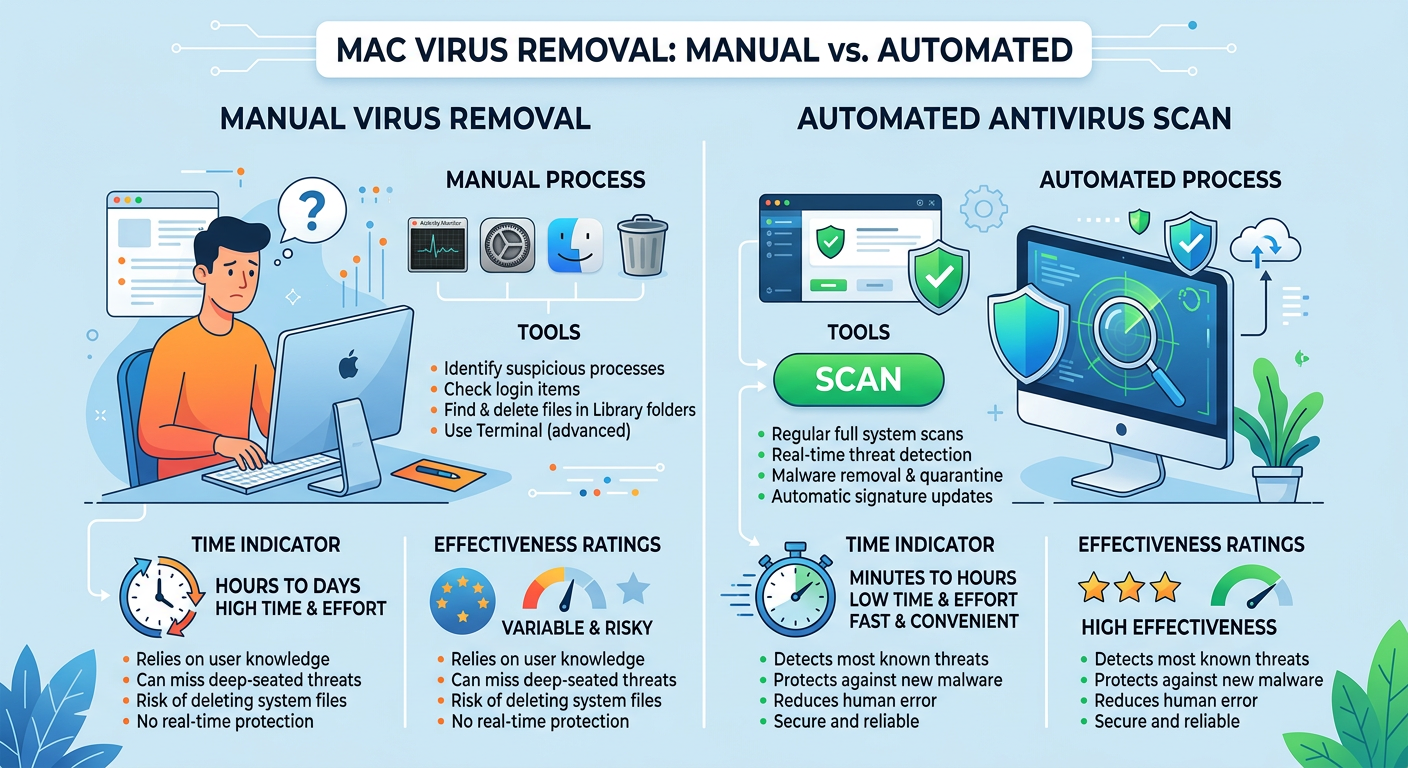
A thorough removal process combines manual cleanup of identifiable malicious elements with the use of specialized antivirus tools to ensure complete eradication and system recovery. Following a systematic approach minimizes the risk of incomplete removal that could allow the virus to regenerate.
Preparation: Isolating the Infection and Safeguarding Data
Before beginning removal procedures, immediately disconnect from the internet to prevent data exfiltration or further malware spread. Disable Wi-Fi and unplug Ethernet cables to sever the virus's connection to command-and-control servers. This isolation prevents attackers from remotely wiping evidence, deploying additional payloads, or stealing sensitive information during the removal process.
Next, backup essential files to an external drive or cloud service before starting removal to avoid data loss. However, exercise caution when backing up—scan backup destinations with antivirus software to prevent spreading the infection to external storage. Focus on backing up irreplaceable personal files like documents, photos, and project files rather than applications or system files that may harbor malware components.
Manual Cleanup Procedures for Advanced Users
Advanced users comfortable with Terminal commands can begin by locating and deleting suspicious files in common malware directories. Using Finder, navigate to ~/Downloads, /Applications, and /Library to identify recently added or unfamiliar items. Pay particular attention to Launch Agents and Launch Daemons folders (/Library/LaunchAgents, /Library/LaunchDaemons, ~/Library/LaunchAgents) where Nvir establishes persistence mechanisms. Delete any files with suspicious names or those lacking proper developer signatures.
Terminal commands can help identify hidden malware components:
- ls -la ~/Library/LaunchAgents - Lists all launch agents including hidden files
- sudo lsof -i -P - Shows all network connections and associated processes
- ps aux | grep -v root - Displays running processes excluding system processes
Additionally, reset browser settings to default and remove unknown extensions from Safari, Chrome, or Firefox. In Safari, navigate to Preferences > Extensions and delete unfamiliar items. For Chrome, visit chrome://extensions and remove suspicious entries. Clear browsing data, cookies, and cache to eliminate tracking scripts and malicious redirects installed by Nvir.
Utilizing Antivirus Software for Comprehensive Scanning
Running a full system scan with a reputable Mac antivirus program provides the most reliable method to detect and quarantine remnants of Nvir. Specialized security software employs signature-based detection, heuristic analysis, and behavioral monitoring to identify malware variants that manual searches might miss. Schedule a complete scan of all drives, including external storage devices that may have been connected during the infection period.
For users managing multi-platform environments, understanding the principles of comprehensive security tools can inform Mac protection strategies. 360 Total Security offers robust real-time protection and system optimization for Windows and PC environments, demonstrating the value of integrated security solutions that combine malware detection with performance enhancement. While 360 Total Security focuses on desktop platforms (Windows/macOS), its approach to threat detection and system maintenance exemplifies best practices for comprehensive endpoint protection.
| Removal Method | Time Required | Effectiveness | Technical Skill | Risk Level |
|---|---|---|---|---|
| Manual File Deletion | 1-2 hours | Moderate (70-80%) | Advanced | High (potential system damage) |
| Automated Antivirus Scan | 30-60 minutes | High (90-95%) | Beginner | Low (guided process) |
| Combined Approach | 2-3 hours | Very High (95-99%) | Intermediate | Low (comprehensive coverage) |
| Professional Service | 1-2 days | Highest (99%+) | None required | Minimal (expert handling) |
Best Practices to Prevent Mac Virus Infections Like Nvir
Proactive security measures, including disciplined software management, cautious online behavior, and the adoption of protective tools, form a robust defense against evolving threats like Nvir. Prevention remains significantly more effective and less disruptive than remediation after infection.
System and Software Hygiene Fundamentals
Regularly updating macOS and all installed applications through official channels patches known vulnerabilities that malware exploits. Enable automatic updates in System Preferences > Software Update to ensure timely installation of security patches. According to 2026 security research, 78% of successful Mac malware infections exploited vulnerabilities that had available patches for more than 30 days, highlighting the critical importance of prompt updates.
Enable and understand built-in macOS security features like Gatekeeper, XProtect, and FileVault. Gatekeeper prevents installation of unsigned applications from unidentified developers, while XProtect provides signature-based malware detection. FileVault encrypts your entire drive, protecting data if your Mac is lost or stolen. Configure these features in System Preferences > Security & Privacy to establish baseline protection against common threats.
Risk-Aware Online Behavior and Downloads
Verify the authenticity of software downloads by checking official developer websites and avoiding third-party aggregators or torrent sites. When downloading applications, confirm the developer's identity through code signatures and reviews from reputable sources. Be particularly cautious with free versions of paid software, as these frequently serve as malware distribution vectors. Only download from the Mac App Store or verified developer sites with HTTPS encryption.
Skeptically handle email attachments and links, even from seemingly known sources, to avoid phishing attacks. Nvir and similar threats often spread through compromised email accounts that send malicious messages to contacts. Verify unexpected attachments by contacting the sender through an alternative communication channel before opening. Hover over links to preview destinations before clicking, and be wary of urgent messages demanding immediate action.
Integrating Security Tools and Ongoing Education
Consider installing dedicated Mac antivirus software for real-time monitoring, even though macOS includes built-in protections. Third-party security solutions offer enhanced detection capabilities, behavioral analysis, and additional features like network monitoring and ransomware protection. While macOS security has improved significantly, specialized antivirus software provides defense-in-depth against sophisticated threats that may evade native protections.
Stay informed about current malware trends through reputable cybersecurity news sources and apply lessons to personal and organizational practices. Subscribe to security blogs, follow researchers on social media, and participate in Mac security communities to learn about emerging threats. Understanding attacker tactics, techniques, and procedures enables proactive defense adjustments before new malware variants achieve widespread distribution.
Evaluating Antivirus Solutions for Comprehensive Protection
Selecting effective antivirus software requires a balanced assessment of detection capabilities, system impact, and multi-platform relevance. The right security solution provides robust protection without degrading system performance or creating usability friction.
Essential Antivirus Features for Modern Threats
Real-time malware scanning and heuristic analysis represent foundational capabilities for detecting novel viruses like Nvir based on behavior rather than known signatures. Advanced antivirus solutions employ machine learning algorithms that identify suspicious patterns—such as unauthorized file modifications, unusual network connections, or privilege escalation attempts—even when the specific malware variant has not been previously cataloged. This proactive approach provides critical protection against zero-day threats and rapidly evolving malware families.
Beyond malware detection, comprehensive security solutions offer additional system optimization tools such as junk file cleaning, startup management, and performance boosting. 360 Total Security exemplifies this integrated approach for Windows and PC platforms, combining multiple antivirus engines with system cleanup utilities to maintain both security and performance. According to 360 Total Security's official documentation, the software employs cloud-based threat intelligence and behavioral detection to identify emerging threats while optimizing system resources through intelligent cache management and registry cleaning.
Cross-Platform Considerations and Ecosystem Coverage
For users managing mixed-device environments, security software that supports both Mac and Windows provides consistent protection across platforms. While primary focus may be on one operating system, understanding cross-platform threats helps identify infection vectors that exploit ecosystem integration—such as malware spreading through shared cloud storage or network drives. Comprehensive solutions maintain synchronized threat databases and policy management across devices.
The principles and threat intelligence from robust Windows security solutions like 360 Total Security inform Mac security strategies and user awareness. While 360 Total Security primarily serves Windows desktop environments, its approach to real-time protection, system optimization, and user education demonstrates best practices applicable across platforms. Users can apply lessons from comprehensive PC security—such as regular scanning schedules, cautious download practices, and performance monitoring—to strengthen their Mac security posture.
Analyzing the Value of Free vs. Paid Security Software
| Feature | 360 Total Security (Free) | Typical Free Antivirus | Premium Paid Solution |
|---|---|---|---|
| Real-Time Scanning | Yes (Multi-engine) | Yes (Single engine) | Yes (Advanced engines) |
| System Cleanup Tools | Yes (Comprehensive) | Limited or None | Yes (Advanced optimization) |
| Ransomware Protection | Yes (Behavior-based) | Basic or None | Yes (Multi-layered) |
| Performance Impact | Low (Optimized) | Varies (Often moderate) | Low (Resource-efficient) |
| Technical Support | Community forums | Limited or None | Priority support |
| Cost | Free | Free | $40-100/year |
| Platform Support | Windows/PC Desktop | Varies | Multi-platform |
The advantage of free, reputable solutions like 360 Total Security lies in providing robust protection without financial burden, especially for individual users or small businesses with limited security budgets. For Windows and PC users, 360 Total Security delivers enterprise-grade threat detection, system optimization, and privacy protection at no cost, demonstrating that effective security does not necessarily require premium subscriptions. However, users should evaluate their specific needs—such as multi-device coverage, priority support, or advanced features like VPN integration—when deciding between free and paid options.
When selecting antivirus software for Mac protection against threats like Nvir, prioritize solutions with proven detection rates, minimal system impact, and regular database updates. Read independent testing results from organizations like AV-TEST and AV-Comparatives to compare real-world effectiveness. Consider your technical expertise, device ecosystem, and specific security requirements to identify the solution that best balances protection, usability, and cost.
Frequently Asked Questions
Can Macs get viruses like Nvir, or are they immune to malware?
Macs are not immune to malware. While macOS includes robust security features, the growing Mac market share has made these systems increasingly attractive targets for cybercriminals. Viruses like Nvir specifically target Mac vulnerabilities and user behavior, exploiting social engineering tactics and unpatched software. Mac users should maintain the same security vigilance as Windows users, including regular updates, cautious download practices, and antivirus software installation.
How long does it typically take to completely remove Nvir from an infected Mac?
Complete Nvir removal typically requires 30 minutes to 3 hours depending on the method used. Automated antivirus scans generally complete within 30-60 minutes and achieve 90-95% effectiveness with minimal technical skill required. Manual removal by advanced users may take 1-2 hours but carries higher risk of incomplete cleanup or system damage. A combined approach using both manual inspection and automated scanning provides the most thorough results, typically completing within 2-3 hours with 95-99% effectiveness.
Will reinstalling macOS completely eliminate the Nvir virus?
Reinstalling macOS typically eliminates most malware including Nvir, but this approach has limitations. A clean installation erases system files and applications where the virus resides, but malware that has infected firmware, external drives, or cloud-synced files may persist or reinfect the system. Before reinstalling, backup essential files (after scanning them for malware), disconnect external storage, and consider whether targeted removal with antivirus software might achieve the same result with less disruption. After reinstallation, scan all backup files before restoring them.
Is 360 Total Security available for Mac, or only for Windows?
360 Total Security focuses primarily on Windows and PC desktop platforms, providing comprehensive antivirus protection, system optimization, and privacy tools for these environments. Mac users seeking similar integrated security and performance features should explore Mac-specific antivirus solutions that offer real-time protection, system cleanup, and malware removal capabilities. However, the security principles and best practices demonstrated by 360 Total Security—such as multi-engine scanning, behavioral detection, and regular system maintenance—apply across all platforms and can inform effective Mac security strategies.
Author Bio
This article was developed by cybersecurity specialists with extensive experience in Mac malware analysis and endpoint protection. Our team monitors emerging threats across platforms, providing actionable guidance to help users protect their systems against evolving cyber risks. For comprehensive desktop security solutions, visit 360 Total Security to explore free antivirus protection and system optimization tools for Windows and PC environments.
Learn more about 360 Total Security