
Executive Summary: Modern PC security demands far more than a basic antivirus installation. Today's threat landscape includes sophisticated ransomware campaigns, invisible spyware, AI-powered phishing attacks, and zero-day exploits that can compromise your system within seconds. This comprehensive guide walks you through the most dangerous threats targeting Windows and macOS computers, explains how multi-layered security suites defend against each attack vector, and demonstrates why system optimization is an inseparable component of genuine PC health. Whether you are evaluating free versus premium solutions or building a sustainable maintenance routine, this article provides the technical depth and actionable frameworks needed to make informed decisions — including how tools like 360 Total Security integrate robust antivirus protection with intelligent performance optimization in a single, lightweight package.
What Are the Most Common Security Threats to Your PC Today?
Modern PC security threats have evolved far beyond the simple viruses of the early internet era. Today's attackers deploy sophisticated ransomware campaigns, stealthy spyware ecosystems, and psychologically manipulative phishing schemes that exploit both software vulnerabilities and human behavior simultaneously. Understanding the precise nature of these threats is the first and most critical step toward building an effective defense. The threat landscape of 2025 is defined not by volume alone, but by the alarming precision and professionalism of attacks that now target individuals just as aggressively as they target large enterprises.
The Rise of Ransomware and Data Encryption Attacks
Ransomware has undergone a dramatic strategic transformation over the past several years. What once manifested as indiscriminate mass-distribution campaigns — flooding inboxes with malicious attachments hoping for accidental clicks — has evolved into highly targeted, operationally sophisticated attacks. Modern ransomware operators conduct weeks or even months of reconnaissance before deploying their payload, mapping network shares, identifying backup systems, and timing their strikes for maximum disruption. This shift from spray-and-pray tactics to precision targeting means that no individual or organization, regardless of size, can consider themselves beneath the attention of ransomware groups.
The financial consequences are staggering. According to the FBI's Internet Crime Complaint Center 2025 report, ransomware losses reported to federal authorities exceeded $1.1 billion in the United States alone, with the actual figure estimated to be significantly higher due to widespread underreporting. Victims face a brutal dilemma: pay the ransom with no guarantee of receiving working decryption keys, or refuse payment and potentially lose irreplaceable data permanently. Even when decryption keys are provided, the recovery process is often incomplete, with corrupted files and residual malware remaining on compromised systems.
The attack chain is methodical and exploits multiple weaknesses in sequence. Initial access is typically gained through phishing emails, exploitation of unpatched remote desktop protocol vulnerabilities, or compromised credentials purchased on dark web marketplaces. Once inside a system, the ransomware payload moves laterally, escalates privileges, disables backup services, and then initiates the encryption process — often during off-hours when monitoring is reduced.
Spyware, Keyloggers, and Privacy Invasion
While ransomware captures headlines due to its dramatic and immediately visible impact, spyware represents an arguably more insidious category of threat precisely because it operates in complete silence. The primary objective of spyware is not disruption but exfiltration — the quiet, continuous theft of sensitive information including login credentials, banking details, credit card numbers, personal communications, and browsing history. A compromised system may operate entirely normally for months while a spyware infection systematically harvests and transmits this data to remote command-and-control servers.
Keyloggers represent one of the most technically effective forms of spyware. By intercepting input at the kernel or application level, a keylogger captures every keystroke typed on the infected machine, including passwords entered into encrypted HTTPS websites, private messages, and authentication codes. This capability effectively bypasses the encryption that protects data in transit, since the keylogger captures the plaintext before it is ever encrypted. Consumer-grade keyloggers are alarmingly accessible, with many available as commercial software marketed under the guise of parental monitoring or employee supervision tools.
A 2025 academic study published in the Journal of Cybersecurity Research found that conventional signature-based antivirus solutions detected fewer than 40% of newly deployed consumer-grade spyware variants in initial testing, with detection rates improving only after cloud intelligence updates were applied — often hours or days after initial deployment. This detection gap underscores the critical importance of behavioral analysis capabilities that can identify suspicious activity patterns even when the specific malware signature is not yet known. The stealthy nature of these threats means that many users operate under a false sense of security, unaware that their most sensitive information is being systematically stolen.
Phishing, Social Engineering, and Browser-Based Threats
Phishing attacks have reached a level of sophistication that makes them genuinely difficult to distinguish from legitimate communications, even for technically experienced users. Modern phishing campaigns leverage artificial intelligence to craft personalized messages that reference real details about the target — their employer, recent purchases, or professional connections scraped from social media profiles. These spear-phishing attacks achieve dramatically higher success rates than generic bulk phishing because they exploit the fundamental human tendency to trust contextually relevant information.
Beyond email, browser-based threats represent a growing and particularly dangerous attack surface. Malicious browser extensions — often distributed through official extension stores before being detected and removed — can intercept web traffic, inject advertisements, steal session cookies, and redirect banking transactions. Drive-by download attacks exploit vulnerabilities in browsers or their plugins to silently install malware simply by visiting a compromised or maliciously crafted webpage, requiring no user interaction beyond the initial page load. Outdated browser installations and unpatched plugins remain among the most commonly exploited entry points for these attacks.
Fake websites that impersonate banking institutions, government agencies, and popular online services have become technically indistinguishable from legitimate sites to the casual observer. They deploy valid SSL certificates — meaning the padlock icon in the browser address bar provides no meaningful security assurance — and use domain names that differ from the legitimate site by only a single character or use convincing subdomains. The combination of social engineering via email and technically convincing fake landing pages creates a threat that requires both user education and technical countermeasures to effectively address.
How Does a Comprehensive Security Suite Protect Your Computer?
Effective PC protection in the current threat environment cannot rely on any single defensive mechanism. The diversity and sophistication of modern attack vectors demand a multi-layered defense strategy that combines real-time threat detection, proactive system hardening, intelligent behavioral analysis, and network-level controls. Each layer addresses specific attack scenarios, and their combined operation creates a defense-in-depth architecture where the failure of any single layer does not result in a complete compromise. Understanding how these layers work individually and in concert is essential to appreciating the value of a comprehensive security suite.
The First Line of Defense: Real-Time Antivirus and Anti-Malware
The foundation of any security suite remains its antivirus and anti-malware engine, and modern implementations are substantially more sophisticated than the simple signature-matching systems of previous decades. Signature-based detection operates by maintaining a continuously updated database of known malware fingerprints — cryptographic hashes and byte patterns that uniquely identify specific malicious files. When a file is accessed, downloaded, or executed, the engine compares it against this database and blocks any matches. This approach is highly reliable and extremely fast for known threats, with modern databases containing signatures for hundreds of millions of documented malware variants.
However, signature-based detection is inherently reactive — it can only identify threats that have already been discovered, analyzed, and added to the database. This limitation is precisely why heuristic and behavior-based analysis has become equally if not more critical in modern security architectures. Heuristic analysis examines the structural characteristics and code patterns of files to identify suspicious attributes that suggest malicious intent, even when no matching signature exists. Behavioral analysis takes this further by monitoring the runtime behavior of executing processes — watching for actions like attempting to modify system files, establishing unexpected network connections, encrypting large numbers of files in rapid succession, or injecting code into other processes.
The combination of these approaches allows modern security engines to detect zero-day threats — previously unknown malware for which no signature yet exists — with significantly higher reliability than signature-only systems. Cloud connectivity enhances this capability further by allowing the security engine to query a global threat intelligence network in real-time, leveraging the collective detection data from millions of protected endpoints to make more informed verdicts about ambiguous files and behaviors.
Proactive Shields: Firewall, Web Protection, and Vulnerability Fixing
A smart firewall serves as the gateway controller for all network communications entering and leaving a protected system. Unlike the basic packet-filtering firewalls built into operating systems, security suite firewalls implement stateful inspection and application-level awareness, allowing them to make nuanced decisions about which programs are permitted to communicate over the network and under what circumstances. This capability is critical for detecting and blocking the command-and-control communications that malware relies on to receive instructions, exfiltrate data, and download additional payloads. An effective firewall can render already-installed malware functionally useless by severing its communication channels.
Web protection modules operate at the URL and content level, intercepting web requests before they reach the browser and evaluating them against databases of known malicious domains, phishing sites, and malware distribution networks. This real-time web filtering provides protection against drive-by downloads and phishing sites that may not yet have been flagged by browser-level security features. Downloads are scanned before they complete, preventing malicious files from reaching the filesystem. This layer is particularly valuable because it provides protection even when users inadvertently click on malicious links in emails or social media posts.
Perhaps the most underappreciated component of a comprehensive security suite is its vulnerability scanner. Unpatched software is the single most commonly exploited attack vector in successful system compromises. A vulnerability scanner systematically inventories all installed software and operating system components, cross-references them against known vulnerability databases, and identifies components that require security updates. This proactive approach to patch management is central to 360 Total Security's security philosophy — by identifying and facilitating the remediation of vulnerabilities before attackers can exploit them, the suite prevents entire categories of attacks rather than simply detecting them after the fact.
Beyond Detection: Sandboxing, Ransomware Rollback, and AI
Sandboxing represents one of the most powerful techniques in the modern security arsenal. When a file or program is identified as suspicious but cannot be definitively classified as malicious, a sandbox provides an isolated virtual environment in which the file can be safely executed and its behavior observed without any risk to the host system. The sandbox monitors all system calls, network activity, file system modifications, and registry changes made by the executing file, building a comprehensive behavioral profile that informs the final classification decision. Files that attempt to perform malicious actions within the sandbox are blocked from executing on the real system.
Ransomware-specific protection mechanisms have become an essential component of modern security suites given the severity and prevalence of ransomware attacks. These mechanisms work by monitoring the filesystem for patterns characteristic of ransomware encryption activity — specifically, the rapid sequential modification of large numbers of files with changing file headers and increasing entropy values. When such patterns are detected, the protection module can terminate the responsible process immediately and, in some implementations, initiate a rollback procedure that restores files to their pre-encryption state using shadow copies or purpose-built backup snapshots created by the security suite itself. This rollback capability can be the difference between a minor incident and a catastrophic data loss event.
Cloud-based artificial intelligence has fundamentally changed the scale and speed at which threat intelligence can be gathered and applied. 360 Total Security engineers have developed a cloud AI threat intelligence network that aggregates anonymized threat telemetry from hundreds of millions of protected endpoints worldwide. This global sensor network allows the AI system to identify emerging threat patterns — new malware families, novel attack techniques, and previously unseen exploit payloads — within hours of their first appearance in the wild. When the AI identifies a new threat pattern, updated detection logic is pushed to all connected endpoints simultaneously, providing protection that scales with the global threat landscape rather than being limited to what any single research team can analyze manually.
Why Is System Optimization Just as Important as Antivirus Protection?
A slow, cluttered, and poorly maintained computer system is not merely an inconvenience that reduces productivity — it represents a genuine security liability. The connection between system performance and security posture is more direct and consequential than most users appreciate. Neglected systems accumulate unpatched vulnerabilities, forgotten software with security flaws, and resource constraints that impair the effectiveness of security tools themselves. Understanding this relationship reframes system optimization from a luxury feature to an essential component of comprehensive PC health management.
The Security Risks of System Neglect
The most direct security consequence of system neglect is the accumulation of unpatched software vulnerabilities. Every piece of software installed on a computer — the operating system, browsers, document readers, media players, and productivity applications — periodically receives security updates that address discovered vulnerabilities. When these updates are not applied promptly, the system remains exposed to exploits that are often publicly documented and actively used by attackers. The time between a vulnerability's public disclosure and the availability of automated exploit tools has compressed dramatically; in 2025, this window is frequently measured in hours rather than days or weeks.
Forgotten and abandoned software presents a particularly insidious risk. Users frequently install applications to serve a temporary purpose and then forget about them entirely. These dormant applications continue to occupy disk space and, more critically, continue to present attack surfaces that receive no attention from the user. Browser extensions are especially problematic in this regard — a 2025 analysis by a major cybersecurity research firm found that the average user had installed more than eight browser extensions, of which fewer than half were actively used, and approximately 15% had not received security updates in over twelve months. Each of these outdated, forgotten extensions represents a potential entry point for attackers.
Research examining the relationship between startup program proliferation and system vulnerability windows has produced concerning findings. Systems with more than fifteen startup programs show significantly extended boot times, during which security software may not yet be fully initialized and monitoring capabilities are reduced. This boot-time vulnerability window — the period between system power-on and the full initialization of all security monitoring processes — represents a known attack opportunity that sophisticated malware has been designed to exploit. Reducing startup program count through active management directly shrinks this vulnerability window and improves the reliability of security software initialization.
Boosting Performance Through Cleanup and Management
The accumulation of junk files on a modern computer system is both inevitable and surprisingly consequential for system performance. Temporary files created by the operating system and applications, browser cache data, download remnants, error logs, and the residual files left behind by software uninstallers collectively consume gigabytes of disk space and, more importantly, contribute to filesystem fragmentation and index bloat that slows file access operations. Regular cleaning of these unnecessary files restores available storage, reduces the time required for disk operations, and can meaningfully improve application launch times and overall system responsiveness.
The Windows registry, which stores configuration data for the operating system and installed applications, accumulates invalid and orphaned entries over time as software is installed, updated, and removed. While the performance impact of registry bloat is sometimes overstated, genuinely invalid registry entries can cause application errors, slow startup sequences, and occasional system instability. Careful registry cleaning, as implemented in professional optimization tools, removes demonstrably invalid entries while preserving all entries that contribute to system functionality.
Startup program management delivers some of the most immediately noticeable performance improvements available through software-based optimization. Each program configured to launch at system startup consumes initialization time, RAM, and CPU resources from the moment the system boots. Many of these autostart entries are added by software installers without explicit user consent and provide minimal ongoing value — update checkers, cloud sync clients, hardware utility trays, and promotional launchers are common examples. Systematically reviewing and disabling unnecessary startup items can reduce boot times by 30 to 60 percent on heavily loaded systems and meaningfully reduce background resource consumption throughout the operating session.
The Integrated Advantage: Security and Optimization in One Tool
The traditional approach of deploying separate specialized tools for antivirus protection and system optimization introduces unnecessary complexity, potential software conflicts, and redundant resource consumption. Running two or more background monitoring processes that each independently scan filesystem activity, monitor running processes, and maintain their own update mechanisms creates overhead that can itself degrade system performance. The integrated approach — combining comprehensive security capabilities with professional-grade optimization tools in a single, architecturally unified application — eliminates these inefficiencies and provides a more coherent user experience.
360 Total Security exemplifies this integrated philosophy, providing antivirus protection, firewall management, vulnerability scanning, junk file cleaning, startup optimization, and performance monitoring within a single lightweight application. Because the security and optimization components share the same underlying system monitoring infrastructure, they can operate more efficiently than separate tools while also providing insights that neither could generate independently — for example, identifying that a specific startup program is both consuming excessive resources and connecting to suspicious network addresses.
A clean, well-maintained system also allows security software to operate more effectively. When the filesystem is free of unnecessary files and the system has adequate available RAM, security scans complete faster, behavioral monitoring operates with lower latency, and cloud intelligence queries receive responses more quickly. The performance improvements delivered by optimization tools directly enhance the effectiveness of the security components, creating a virtuous cycle where better system maintenance leads to better security outcomes.
| Real-Time Malware Protection | ✅ Yes | ❌ No | ✅ Yes | Firewall & Network Monitoring | ✅ Usually included | ❌ No | ✅ Yes | Vulnerability / Patch Scanner | ⚠️ Rarely included | ❌ No | ✅ Yes | Junk File & Cache Cleanup | ❌ No | ✅ Yes | ✅ Yes | Startup Program Management | ❌ No | ✅ Yes | ✅ Yes | Registry Cleaning | ❌ No | ✅ Yes | ✅ Yes | Ransomware-Specific Protection | ⚠️ Varies by product | ❌ No | ✅ Yes | Cloud AI Threat Intelligence | ⚠️ Varies by product | ❌ No | ✅ Yes | Behavioral Sandboxing | ⚠️ Premium only | ❌ No | ✅ Yes | Unified Dashboard & Health Score | ❌ No | ❌ No | ✅ Yes | System Resource Footprint | Medium | Low–Medium | Low (optimized shared architecture) | Cost for Full Feature Access | Paid subscription required | Paid subscription required | Free core version available |
How to Choose the Right Security Software for Your Needs
Selecting the right security software for your computer is a decision that carries genuine consequences for both your digital safety and your daily computing experience. The market is crowded with products that make impressive marketing claims, and distinguishing genuinely effective solutions from those that prioritize marketing over substance requires a structured evaluation framework. The key dimensions to assess are protection efficacy, system performance impact, feature completeness, and cost-to-value ratio — with the important recognition that free does not necessarily mean inadequate.
Evaluating Core Protection Capabilities
The most reliable way to evaluate the actual protection capabilities of security software is to consult the results published by independent testing laboratories. Organizations such as AV-TEST, AV-Comparatives, and SE Labs conduct rigorous, standardized evaluations of security products against large, representative collections of current malware samples and real-world attack scenarios. These tests measure protection rates, false positive rates, and performance impact using methodologies that are transparent and reproducible. Products that consistently score highly across multiple independent testing organizations demonstrate genuine detection efficacy rather than performance optimized for a single proprietary test.
Beyond raw malware detection rates, the completeness of the security feature set matters enormously for real-world protection. A product that achieves excellent detection rates against known malware but lacks web protection, anti-phishing capabilities, or a competent firewall leaves significant attack surfaces unaddressed. Phishing attacks, drive-by downloads, and network-based intrusion attempts are among the most common attack vectors in practice, and a security suite that does not address them provides a false sense of comprehensive protection.
Proactive protection features — behavioral analysis, sandboxing, and ransomware-specific shields — deserve particular attention when evaluating security software. These capabilities determine how effectively the product handles novel, previously unseen threats, which represent the leading edge of actual attacks in the current environment. A product that excels at detecting known malware but lacks robust proactive capabilities will perform well in signature-based tests but may fail against the zero-day exploits and new ransomware variants that represent the most significant real-world threats.
Assessing System Impact and Usability
A security suite that comprehensively protects your system but renders it too slow to use effectively has failed at its fundamental purpose. System impact — the measurable effect of the security software on CPU utilization, RAM consumption, disk access times, and application launch speeds — is a critical evaluation criterion that is often underweighted by users focused primarily on protection metrics. Independent lab tests consistently measure system impact alongside protection rates, and these impact scores should be carefully considered, particularly for users running older hardware or resource-intensive applications.
Lightweight architecture is not simply a marketing talking point but a genuine engineering achievement that requires careful optimization of how the security software interacts with the operating system's file system filters, network stack, and process monitoring interfaces. Security products that achieve high protection rates with low system impact have invested significantly in optimizing these interactions, using techniques such as intelligent caching of scan results, prioritized scanning queues that defer non-urgent operations, and efficient use of cloud lookups to reduce local computational requirements.
360 Total Security has been specifically engineered to deliver this balance between comprehensive protection and minimal system impact. Its architecture employs shared monitoring components that serve both the security and optimization functions simultaneously, reducing the total resource overhead compared to running equivalent functionality through separate applications. This design philosophy makes it particularly suitable for users who cannot afford to sacrifice system performance for security — a trade-off that should never be necessary with a well-designed modern security suite.
Usability is equally important, particularly for the majority of users who are not security professionals. A security suite should present its status, alerts, and recommendations in clear, accessible language without requiring technical expertise to interpret. Scan scheduling, protection configuration, and feature management should be achievable through intuitive interfaces that do not bury important options in complex menu hierarchies. The best security software makes the right security choices the easy choices, guiding users toward optimal configurations without demanding technical knowledge.
Understanding the Free vs. Premium Value Proposition
The free versus premium decision in security software is more nuanced than a simple quality comparison. Reputable free security products from established vendors genuinely provide meaningful protection — they are not stripped-down products designed merely to frustrate users into upgrading. Free tiers from credible vendors typically include real-time malware scanning and detection, a basic firewall, fundamental web protection, and in some cases, basic system optimization tools. For users with straightforward security needs and limited budgets, a well-chosen free security product provides substantially better protection than no dedicated security software.
Premium tiers typically add capabilities that address more specific or advanced security needs: enhanced firewall controls with application-level traffic management, dedicated technical support with guaranteed response times, identity theft monitoring services, advanced ransomware protection with rollback capabilities, and VPN access for secure browsing on untrusted networks. The value of these additional features depends heavily on individual risk profiles — a user who frequently connects to public Wi-Fi networks, handles sensitive financial or professional data, or operates in a high-threat environment will derive substantially more value from premium features than a casual home user with straightforward computing habits.
360 Total Security occupies a distinctive position in this landscape by providing a free version that includes not only comprehensive antivirus protection but also a full suite of system optimization tools — junk file cleaning, startup management, vulnerability scanning, and performance monitoring. This combination makes it one of the most feature-complete free security solutions available and eliminates the need for users to choose between security and optimization due to budget constraints. The official feature comparison available on the 360 Total Security website provides a detailed breakdown of what is included in each tier, allowing users to make an informed decision about whether the premium features align with their specific requirements.
Implementing a Proactive Security and Maintenance Routine
Lasting PC security is not achieved through a single installation and forgotten. It is an ongoing practice — a set of habits and automated processes that collectively maintain a resilient, well-defended computing environment over time. The most effective security posture combines the automated capabilities of a comprehensive security suite with informed user behaviors that reduce exposure to threats. Building and maintaining this routine requires understanding both what your security software can automate on your behalf and what decisions and practices remain your responsibility as the user.
Daily and Weekly Maintenance Checklist
The foundation of any effective security routine is ensuring that real-time protection is consistently active and operating with current threat intelligence. Real-time protection should never be manually disabled, even temporarily, and virus definition databases should be configured for automatic updates — ideally multiple times daily given the pace at which new threat signatures are published. Most modern security suites, including 360 Total Security, handle this automatically by default, but it is worth periodically verifying that automatic updates are enabled and that the last successful update occurred recently.
Scheduled scanning provides a systematic check for threats that may have evaded real-time detection or been introduced through offline means such as USB drives or file transfers from other devices. A well-designed scanning strategy combines frequent quick scans — which focus on the most commonly targeted system areas and active processes — with periodic comprehensive full-system scans that examine every file on the disk. Quick scans are best scheduled daily during periods of low system activity, while full scans can be scheduled weekly or bi-weekly. 360 Total Security provides flexible scheduling options that allow these scans to be automated completely, running during specified time windows without requiring manual initiation.
Weekly system cleanup should be a regular part of the maintenance routine. Junk file accumulation, browser cache growth, and startup program creep are continuous processes that benefit from regular attention. Running the cleanup tools integrated in 360 Total Security on a weekly basis prevents the gradual performance degradation that users often attribute to hardware aging when it is actually the result of accumulated software clutter. This weekly cleanup takes only a few minutes when performed regularly and avoids the need for more disruptive deep-cleaning sessions that become necessary when maintenance is deferred for months.
Foundational Security Hygiene Practices
Automatic software updates represent the single highest-impact security practice available to individual users, and yet they remain inconsistently implemented across the user population. Every major operating system, browser, and productivity application provides mechanisms for automatic security update installation, and enabling these mechanisms should be treated as a non-negotiable baseline security configuration. The discipline of keeping software current eliminates the vast majority of vulnerabilities that attackers rely on for successful system compromise. A system running fully patched software is dramatically more resistant to attack than one that is even slightly behind on updates, because publicly known vulnerabilities are actively and rapidly exploited once they become common knowledge.
Safe browsing practices provide a critical human-layer defense that complements technical security measures. Verifying the authenticity of websites before entering credentials — checking the full domain name carefully, not just the presence of an SSL certificate — is a habit that prevents the majority of credential phishing attacks. Avoiding downloads from unofficial sources and treating unsolicited email attachments with appropriate skepticism regardless of the apparent sender significantly reduces exposure to malware distribution campaigns. Password hygiene — using long, unique passwords for each service and storing them in a reputable password manager — limits the damage from credential theft by ensuring that a single compromised password cannot unlock multiple accounts.
Data backup is the ultimate insurance policy against ransomware, hardware failure, and accidental deletion. A robust backup strategy follows the 3-2-1 principle: maintain at least three copies of important data, stored on at least two different types of media, with at least one copy stored off-site or in a cloud service that is not continuously connected to the primary computer. Ransomware specifically targets connected backup drives and network shares, so the off-site or disconnected copy is critical for recovery scenarios. Backups should be tested periodically by performing actual restore operations — a backup that has never been tested is a backup whose reliability is unknown.
Leveraging Your Security Suite for Peace of Mind
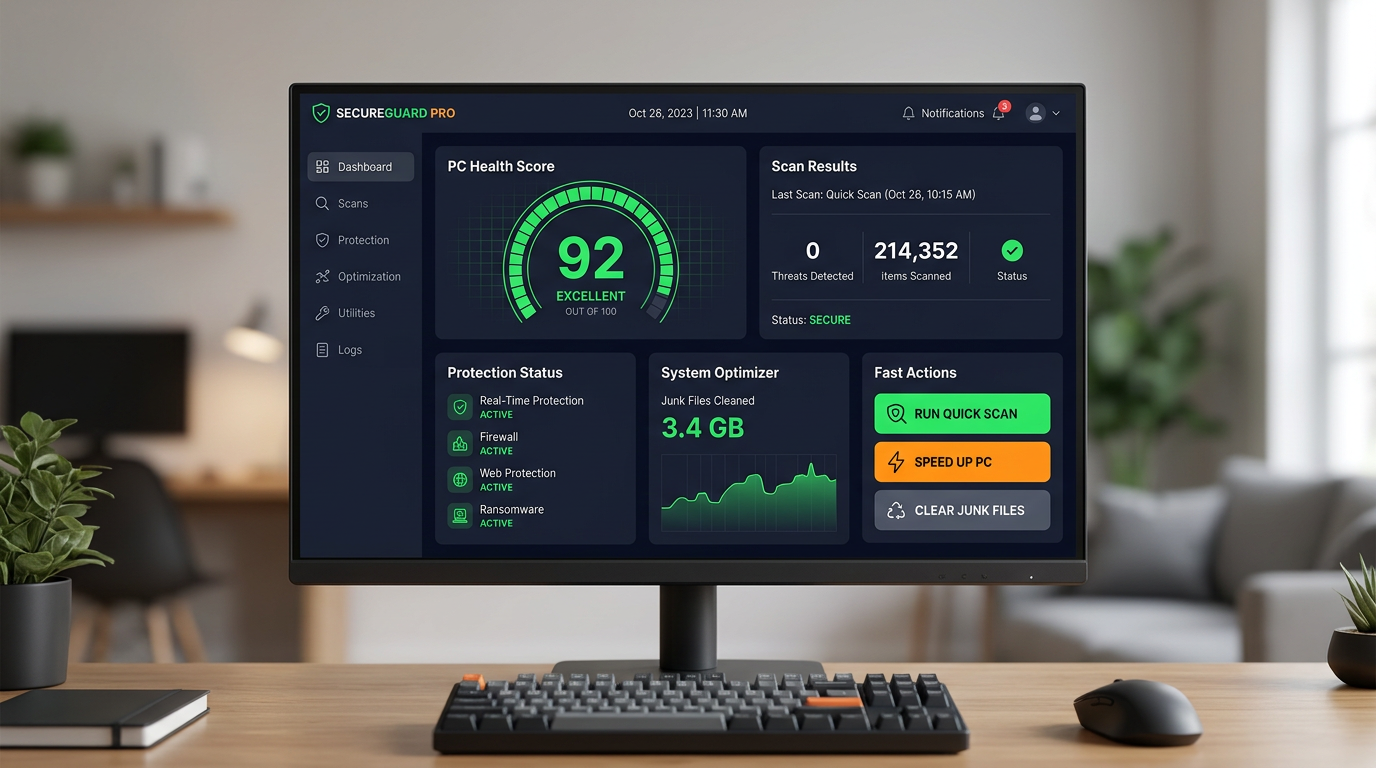
A well-designed security suite dashboard serves as the command center for your PC's health and security status, providing at-a-glance visibility into the current state of all protection components and surfacing actionable recommendations for addressing any identified issues. The PC Health Score concept — a single composite metric that reflects the overall security and performance state of the system — provides an immediately interpretable status indicator that allows users to assess their system's condition at a glance without needing to interpret multiple individual metrics. A high health score provides genuine reassurance, while a declining score serves as an early warning that attention is needed.
Beyond the core security and optimization functions, comprehensive security suites often include additional utility features that address specific security scenarios. A file shredder provides secure deletion of sensitive files, overwriting the data to prevent recovery by forensic tools — important when disposing of devices or sharing storage media. A Wi-Fi security checker analyzes the security configuration of connected wireless networks, identifying weak encryption settings, default router credentials, and other configuration vulnerabilities that could expose the connection to interception. A driver updater ensures that hardware drivers — which operate at the kernel level and can introduce significant vulnerabilities if outdated — are kept current.
The cumulative effect of consistently using all the capabilities of a comprehensive security suite like 360 Total Security is a computing environment that is both genuinely secure and consistently performant. Security alerts become rare events rather than constant interruptions, system performance remains stable over time rather than gradually degrading, and the anxiety of uncertainty about system health is replaced by confidence grounded in continuous monitoring and regular maintenance. This peace of mind is the ultimate deliverable of effective PC security practice — the freedom to use your computer productively without the background concern that it may be compromised or deteriorating.
To experience the integrated protection and optimization capabilities described throughout this guide, visit the 360 Total Security official website to download the free version for Windows or macOS and take the first step toward comprehensive, proactive PC security management.
Frequently Asked Questions
Is free antivirus software genuinely effective, or is it just a trial version?
Reputable free antivirus products from established security vendors provide genuine, meaningful protection — they are not artificially crippled trial versions designed to frustrate users into purchasing upgrades. Free tiers from credible vendors typically include real-time malware detection, basic firewall protection, and web filtering. 360 Total Security's free version is particularly comprehensive, including both full antivirus protection and a complete suite of system optimization tools. The distinction between free and premium tiers is about additional advanced features — such as enhanced ransomware rollback, identity protection services, and priority technical support — rather than the fundamental effectiveness of core protection.
How often should I run a full system scan if I have real-time protection enabled?
Real-time protection monitors your system continuously and intercepts threats as they appear, which means a full system scan is not needed as frequently as it was in the era before real-time monitoring. However, a weekly or bi-weekly full scan remains valuable because it can identify dormant threats that may have been introduced through offline means, detect files that were present before the security software was installed, and verify the integrity of system files. Many security suites, including 360 Total Security, allow full scans to be scheduled automatically during off-hours so they do not interfere with normal computer use.
Can a security suite slow down my computer significantly?
The system performance impact of security software varies substantially between products and is a legitimate concern, particularly for users running older hardware. However, modern well-engineered security suites have invested heavily in minimizing their resource footprint through techniques such as intelligent scan result caching, cloud-assisted analysis that offloads computational work from the local machine, and optimized filesystem filter drivers. 360 Total Security is specifically designed for a lightweight footprint and consistently scores well in independent performance impact testing. In fact, because it includes system optimization tools that clean junk files and manage startup programs, many users find that their overall system performance improves after installation compared to their pre-installation baseline.
What is the most important single action I can take to improve my PC security right now?
If you are currently running without dedicated security software, installing a reputable security suite is the highest-impact single action available. If you already have security software installed, the most impactful action is ensuring that all software on your system — operating system, browsers, plugins, and applications — is fully updated with current security patches. Unpatched vulnerabilities are the most commonly exploited attack vector in successful system compromises, and keeping software current eliminates the vast majority of known attack paths. Enabling automatic updates across all installed software, combined with the vulnerability scanning capabilities in 360 Total Security, provides the most reliable mechanism for maintaining this discipline consistently.
About the Author: This article was researched and written by a Senior Technical Writer specializing in cybersecurity, endpoint protection, and PC performance optimization. With over a decade of experience covering the security software industry, including analysis of independent lab test methodologies, enterprise security architecture, and consumer protection technologies, the author brings both technical depth and practical accessibility to complex security topics. Their work has informed security decisions for readers ranging from individual home users to IT professionals managing enterprise environments.
Learn more about 360 Total Security