Support & FAQ

FAQ

360 ZIP uses 360 cloud killing engine for security detection to compressed files, and user need to install 360 Total Security firstly.

When you open a compressed package with 360ZIP in the environment where 360 Total Security is installed, it will automatically detect the files in the compressed package, and there will be corresponding picture in the right upper corner of the interface. It should be noted that double-clicking the file that is detected as a Trojan will pop up a window to prevent you from accidentally double-clicking opening the Trojan and being more security.

360zip security detection

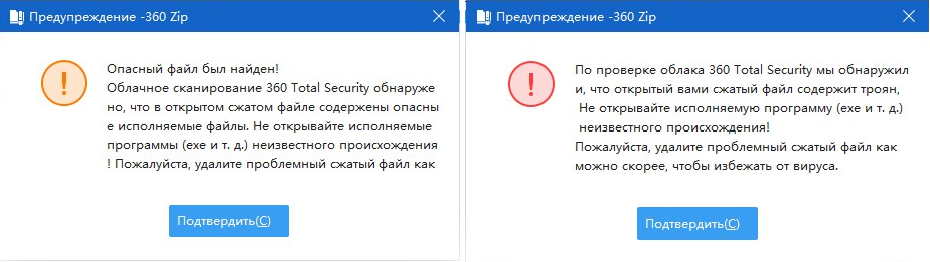
For Trojans and risk files, there will be pop-ups for warning.

360zip warning popup

  1. Go to the email login page and click Forgot password.
  2. Enter your registered email address and click Submit.
  3. You will receive a verification code email. Use the code to enter the new password reset page.
  4. Set and confirm your new password to finish the process.

Got a question ?


I'd like to receive updates
captchaShow another code
 
Submission Successfully Recevied
 
ContinueGo to Homepage

办公地址

100015 北京市朝阳区酒仙桥路6号院B座